USB Push Notification 4-Input with USB Interface
MIRCC4_USB
USB Push Notification
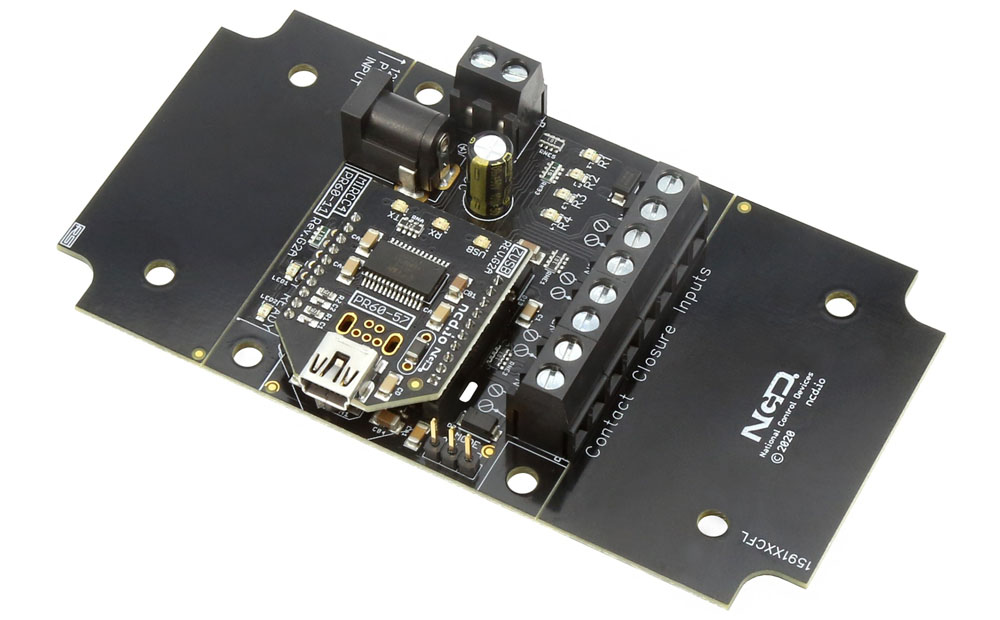
The MIRCC4_USB USB Push Notification board allows you to monitor four dry contact inputs and automatically send individual text and/or email notifications when each input changes state.N-Button Software monitors the board input through the USB connection and sends notifications to one or multiple recipients, making the board ideal for equipment alarms, warning systems, machine status monitoring and process notifications. In most applications, all that's required is a simple dry contact closure output from the equipment or device being monitored.
Simple USB Connectivity
The onboard USB interface connects directly to your computer using a standard USB cable and mounts as a virtual COM port for fast and reliable communication.USB installation provides a simple direct connection between the Push Notification board and the computer running N-Button Software.

USB Push Notification at a Glance
- Push Notification Inputs
- 4 Contact Closure (No Voltage) Inputs
- 12 Guage Solid Core Wire Capacity
- Compatible with any Contact Closure Sensor
- Temperature Rating -40° C to 85° C - Onboard USB Interface Module
- Plugs Directly into USB Port
- Mounts as a Virtual COM Port - N-Button Software
- Monitors Inputs
- Send SMS and/or Email Message
- Point & Click Interface
- Use to Configure Messages
- Unique Message for Each Input
- No Monthly Fees
)
Simple 3-Step Setup
1-Connect the board to your network and configure communication settings.
2-Create a Scan Channel in N-Button Software to monitor the board inputs.
3-Configure text and/or email notifications for each input you want to monitor.
USB Push Notification
"Read outputs through a USB connection"
USB Push Notification Interface
The USB Push Notification board connects directly to your computer using a standard USB cable and mounts as a virtual COM port for fast and reliable communication with N-Button Software.Once connected, Windows will typically install the required USB drivers automatically through
 Windows Update. Drivers may also be downloaded manually from FTDI if needed.
When adding the board to N-Button Software, simply select the assigned COM port shown in Windows Device Manager.
USB Communications Module
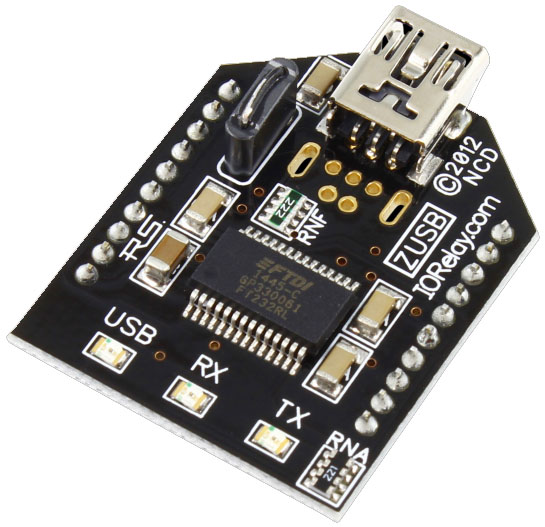 The USB Relay module makes controlling relays simple. Plug it into any available USB port and begin sending standard serial commands to switch relays or read A/D inputs.
Every NCD USB interface uses a genuine FTDI FT232-RL USB-to-Serial converter chip for maximum stability and cross-platform support. With drivers available for Windows, macOS, Linux, and more, the module communicates using a Virtual COM Port for easy software integration.
Once installed, open the COM port at 115.2K baud and start exchanging data immediately. On-board USB, TX, and RX LEDs provide live communication feedback. The module uses a durable USB Mini connector - our preferred interface for longevity and reliability.
Simply download the latest Base Station Software, install it on your Windows PC, and your COM port will appear automatically, ready for communication.
Virtual COM Port
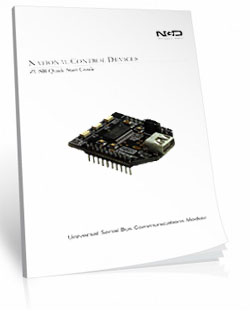
A Virtual COM Port (VCP) registers as a standard serial port on your computer, allowing you to use new or existing serial-based software with any NCD Industrial controller.Because VCP communication is one of the easiest and most universally supported communication formats across operating systems, languages, and hardware platforms, the ZUSB USB Interface is the ideal tool for learning, testing, and operating NCD devices.
Need More Information?
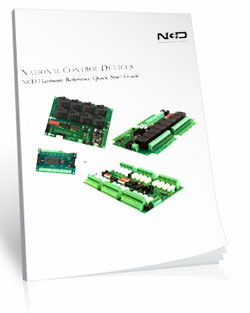
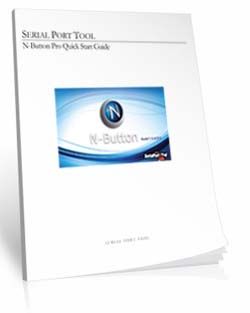
Detailed step-by-step guide for the USB Push Notification Board and N-Button Software.USB Push Notification Setup
Know When Equipment Changes State
Receive instant text and/or email notifications when equipment alarms, warnings or monitored inputs change state.
Push Notification boards help eliminate missed alarms by turning dry contact outputs into real-time notifications for owners, maintenance and system administrators.
The Push Notification Board
"Convert dry contact outputs into real-time alerts."
The Push Notification Board
Push Notification boards are designed to monitor dry contact closure inputs and automatically trigger text and/or email notifications when an input changes state.The board communicates with N-Button Software through the selected USB, Ethernet or WiFi interface where notifications can be configured for one or multiple recipients.
In most applications, all that's required is a simple dry contact closure output from the equipment or device being monitored.
Is your equipment trying to tell you something?
Many industrial devices provide dry contact closure outputs specifically for alarms, warnings and status monitoring. Push Notification boards allow you to monitor those outputs and automatically send text and/or email notifications when something changes.The Input Side
"Where the board gathers information."
Dry Contact Inputs
Inputs on Push Notification boards are compatible with dry contact closure devices such as:- Pushbuttons
- Toggle switches
- Float switches
- Relay outputs
- Alarm contacts
- Sensors and monitoring devices
Simple Input Wiring
The board includes screw terminal input connections for easy installation and field wiring.Inputs are designed for dry contact closure only and may be connected to virtually any device capable of providing a no-voltage dry contact output.
Inputs on Push Notification boards are designed for dry contact closure signals only. Never apply external voltage directly to an input terminal, as damage to the board may occur.
Board Features
"What sets us apart."
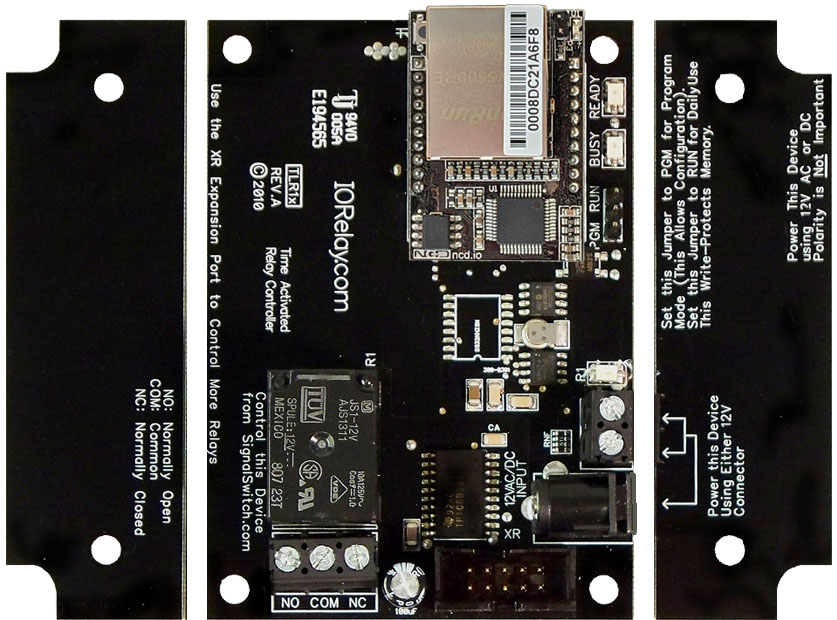
Break-A-Way Tabs for a Smaller Design
Need a smaller footprint? The Push Notification PCB includes Break-A-Way Tabs, allowing the board to fit into optional undrilled enclosures or tight-space installations.
RoHS Compliant & Lead-Free
All Push Notification Boards are built with RoHS-compliant components and lead-free solder.Power & Protection
"Reliable Power = Reliable Notifications"
Essential Power Requirements
 Clean, regulated power is critical.
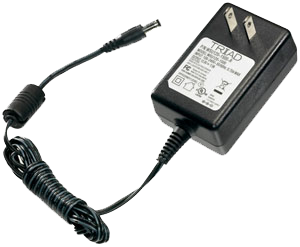
A stable 12VDC supply ensures both the relay coils and onboard firmware operate correctly. Unstable or noisy power can cause improper reading or communication issues.
We recommend the PWR12-US (120VAC → 12VDC @ 1.25A) or our international supply with interchangeable adapters.
Learn More
Support & Ownership
"5-year warranty & no monthly subscriptions."
5-Yeary Warranty & Guarantee
Every Push Notification Board is covered by:- 5-Year Functional Warranty
- 30-Day Money-Back Guarantee
- No Monthly Subscriptions
Shipping
All boards ship directly from our Missouri facility. Each unit is built and tested at the time of order - please allow 3 - 5 days for production. We ship primarily through UPS, but we're happy to use FedEx or DHL for international orders when you provide your account number. Questions? Call us at 800-960-4287 or email sales@relaypros.com.Developer/API
Direct Query Command Set
For custom software applications, Push Notification boards may also be monitored directly through software commands instead of N-Button Software.- Decimal Values: 254 (Command) 150-157 (Parameter - Channel 1-8)
- Hex Values: 0xFE (Command) 0x96 - 0x9D (Parameter - Channel 1-8)
- Receive Byte: Decimal: 0-255, Hex: 0x00-0xFF
Configuring the Software
Setting up Push Notification with N-Button:
✔-Once you've established communication with the board
2-Create a Scan Channel in N-Button Software to monitor the board inputs.
3-Configure text and/or email notifications for each input you want to monitor.
Push Notification with N-Button
"Turn equipment status signals into notifications with N-Button."
N-Button Software
N-Button Pro/Lite Software is the monitoring and notification platform used with Push Notification boards.Using a simple point-and-click interface, N-Button allows you to monitor dry contact inputs, configure text and email notifications, create visual status indicators and automate actions based on equipment status changes.
Each monitored input can have its own custom notification message, recipient list, visual indicator and automation rules, making the software ideal for equipment alarms, security monitoring, process alerts and unattended systems.
There are no monthly subscription fees for N-Button Software. Notification limits are based only on the email or SMS provider being used.
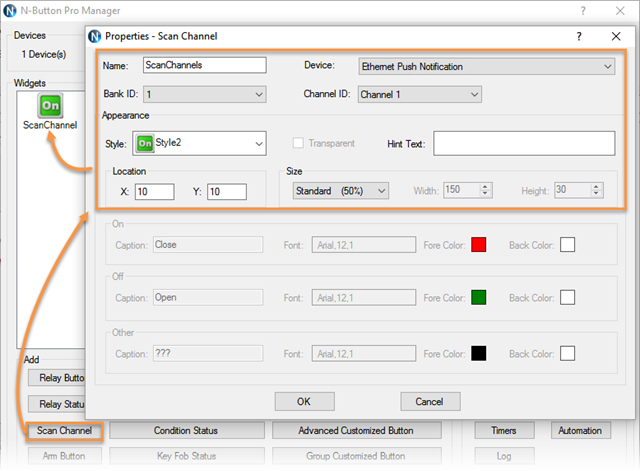
Scan Channels
Scan Channels are the core of the Push Notification monitoring system.A Scan Channel continuously monitors an input on the Push Notification board and determines whether the dry contact circuit is open or closed.
When the input changes state, the Scan Channel processes the event and can trigger text notifications, email alerts, visual indicators and automation actions within N-Button Software.
A separate Scan Channel is typically created for each input on the board, allowing every monitored device or alarm condition to have its own notification settings and visual status indicator.
Monitor Inputs From Your Desktop
 When a Scan Channel is created, N-Button will place place a visual status widget directly on the desktop of your computer. The widget continuously reflects the current state of the monitored dry contact input using user-defined colors for both the open and closed conditions.
 This provides a simple real-time visual indication for monitoring doors, gates, alarm contacts, equipment status signals, tank levels and other connected sensors.


Desktop monitoring can be used by itself for visual status indication or combined with text and email notifications for complete alarm monitoring and response.
Gmail & Email Setup
N-Button Software sends notifications using standard email accounts such as Gmail and other SMTP-compatible providers.Email notifications are sent directly to the recipient's email address. SMS notifications are typically sent using an Email-to-SMS Gateway Address provided by the recipient's mobile carrier. Instead of entering only a phone number, SMS recipients are configured using the carrier's Email-to-SMS Gateway Address, which converts the email into a text message delivered to the mobile device.
A single notification can be sent to multiple email addresses, SMS recipients or a combination of both.
For Gmail accounts, Google App Passwords are required when 2-Step Verification is enabled. Step-by-step setup information is included in the detailed setup guides below.
SMS notifications are typically delivered using your mobile carrier's Email-to-SMS Gateway service. Simply enter the gateway address provided by the carrier and N-Button will send the notification as a text message.
Send SMS, Email or Both
N-Button Software can send text notifications, email alerts or both simultaneously when a monitored input changes state.Custom subjects and messages may be configured for each input so recipients know exactly which alarm, sensor or piece of equipment triggered the notification.
💡 Relay Pros ProTip:
Notifications can be configured to repeat at specific intervals until the alarm condition clears. For example, if a freezer temperature alarm triggers a dry contact output, text and email alerts can continue being sent to maintenance personnel until the temperature returns to normal.
Automation & Relay Control
Control Actions from Inputs
N-Button Software can also trigger actions based on input status changes.Using Automation Rules, Push Notification board inputs can control relays on compatible relay boards to activate warning lights, buzzers, sirens, fans or other connected equipment automatically.
For example, when an alarm contact closes, N-Button can simultaneously:
- Send text and email notifications
- Display a visual alarm on-screen
- Activate a warning light or buzzer
- Control relays on additional boards
💡 Relay Pros ProTip:
If your application also requires relay control, ProXR Lite relay boards can provide an all-in-one solution. ProXR Lite boards include onboard relays along with A/D inputs capable of monitoring dry contact closures, allowing the same board to read inputs and control relays simultaneously.
Need More Information?
Detailed step-by-step guides for to conntact each interface and setting up N-Button software.USB Push Notification Setup
Ethernet Push Notification Setup
WiFi Push Notification Setup
Power Supply Available
 The PWR12 is regulated power supply providing clean power necessary for
the performance of these boards. The PWR12 US power supply is a 120VAC to 12VDC 1.25A 60Hz regulated
power supply and it plugs into the barrel connector on the board. The output connector is a 2.1mm I.D. x 5.5mm
O.D. x 9.5mm R/A barrel connector.
The PWR12 is regulated power supply providing clean power necessary for
the performance of these boards. The PWR12 US power supply is a 120VAC to 12VDC 1.25A 60Hz regulated
power supply and it plugs into the barrel connector on the board. The output connector is a 2.1mm I.D. x 5.5mm
O.D. x 9.5mm R/A barrel connector.
Click Here for More
Enclosure Available
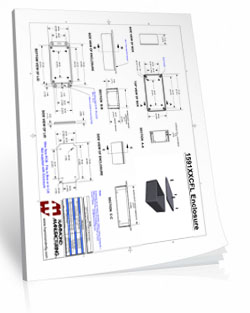
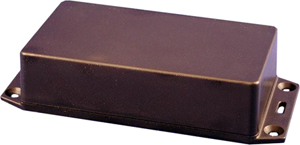 The CFL Enclosure is an undrilled, non-waterproof enclosure and is available at checkout for this controller.
CFL Spec Sheet
CAD Drawing: CFL CAD Drawing
3D Model: CFL_3D
N-Button Lite
 N-Button
Lite is software will read the four inputs on the board and send out the text and/or email message. You can configure seperate text and/or email
for each input and send them to multiple recipients! For detailed instructions on setting up the board and messages
Click Here!
N-Button
Lite is software will read the four inputs on the board and send out the text and/or email message. You can configure seperate text and/or email
for each input and send them to multiple recipients! For detailed instructions on setting up the board and messages
Click Here!