
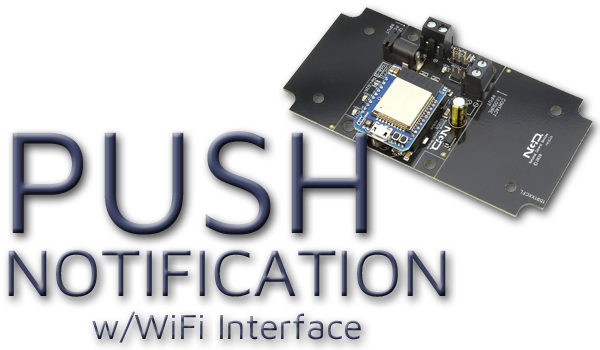
WiFi Push Notification at a Glance...
- WiFi Push Notification
- Send SMS and/or Email for Each Input
- Compatible with Dry Contact Closure Outputs
- Software Driven Messaging System - Embedded WiFi over 802.11b/g
- 2.4GHz WiFi Communications IEEE 802.11 b/g/nr
- Supports DHCP or Static IP
- Soft AP Web Interface for Configuration - N-Button Software
- Monitors Inputs
- Sends Text and/or Emails
- Point & Click Interface
- Use to Configure Messages
- Unique Message for Each Input
PC Software Sends Notifications
N-Button Software running on a Windows PC monitors the Push Notification board inputs and sends the text and/or email notifications.
The computer must remain powered on and connected to the internet for notifications to be delivered.
WiFi Push Notification
WiFi Push Notification boards allow you to monitor dry contact closure inputs and automatically send text and/or email notifications when an input changes state.The onboard NexGen Wi-Fi interface connects the board to your wireless network where N-Button Software monitors the inputs and sends notifications to your selected recipients.
These boards are ideal for equipment alarms, machine status monitoring, warning systems, process notifications and other applications where wireless installation flexibility and immediate notification are required.
In most applications, all that's required is a simple dry contact closure output from the equipment or device being monitored.

Selecting the WiFi Interface
The NexGen Wi-Fi interface allows the Push Notification board to communicate through your existing 2.4GHz wireless network infrastructure without requiring a wired Ethernet connection.The interface supports IEEE 802.11 b/g/n Wi-Fi communication standards along with WPA/WPA2 security and WPA2-Enterprise authentication.
Built-in Soft AP configuration allows quick and simple wireless setup directly from a web browser.
Selecting a WiFi Push Notification Board
Below you will find WiFi Push Notification boards available with multiple input counts.Boards with multiple inputs allow each input to send a different notification message, giving you the ability to create specific alerts for different sensors, alarms or monitored equipment.


